
BLE Tagfinder
The OpenVespaTrack desktop tool: downloads for Windows, macOS and Linux, screenshots, installation help and tutorials.
Preview release · 0.7.0-rc.1 · 14 November 2026
BLE Tagfinder is the desktop research tool within OpenVespaTrack. Discover nearby Bluetooth Low Energy devices, record signal observations, inspect supported data and compare saved sessions. The interface follows the AnthroBios Nexus design system, with light and dark appearances and English, Dutch and French translations.
Get the app · First recording · Screenshots · Source code
Download and install
Choose the package for your operating system and processor. These are prebuilt applications; installing them does not require Rust or a development environment. A compatible Bluetooth adapter, working drivers and permission to use Bluetooth are required for live measurements. Offline recordings and the synthetic demo work without an adapter.
Windows
Windows 10 build 17763 or later, or Windows 11, on an Intel or AMD x86-64 computer.
Run the installer, then open BLE Tagfinder from the Start menu. It installs for your user account. A portable ZIP is also available. This release is unsigned, so Windows may show a publisher or reputation warning. Native Windows ARM and 32-bit packages are not included.
macOS
macOS 13 or later. Check About This Mac to choose Apple Silicon (M1 and later) or Intel.
Open the disk image, drag BLE Tagfinder.app to Applications, launch it and allow Bluetooth access. The app is ad hoc signed, without an Apple Developer ID or notarization. Gatekeeper can block the first launch; the installation guide explains the app-specific approval procedure.
Linux
Linux x86-64 with glibc 2.35 or later and the required desktop libraries. Live Bluetooth uses BlueZ. The Debian package targets Ubuntu 22.04 or later and compatible Debian-based systems, including Linux Mint.
Open a terminal in the download directory and install:
sudo apt install ./ble-tagfinder-0.7.0-linux-x86_64.deb
Start BLE Tagfinder from the application menu. The Linux tarball includes a user-level install.sh for other compatible distributions. ARM Linux and Raspberry Pi require a source build.
All release files and notes · SHA-256 checksums · Full installation and troubleshooting guide
Make your first recording
- Install the app, then choose your language and light or dark appearance.
- Enable Bluetooth on your computer and grant access when prompted.
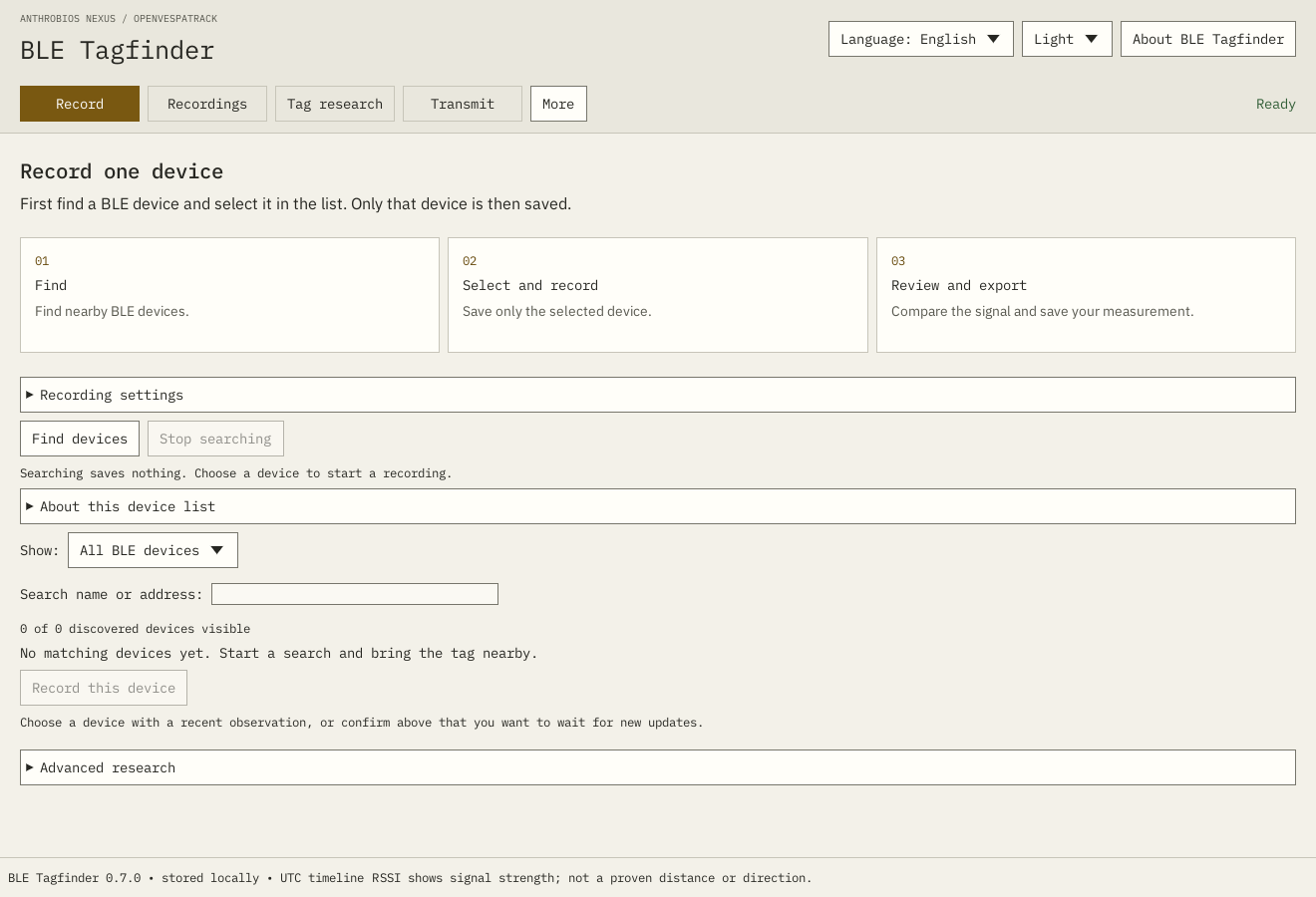
- Open Record → Find devices and select the device you want to observe.
- Choose Record this device. Watch the signal graph while keeping track of the conditions.
- Select Stop recording when you have enough observations.
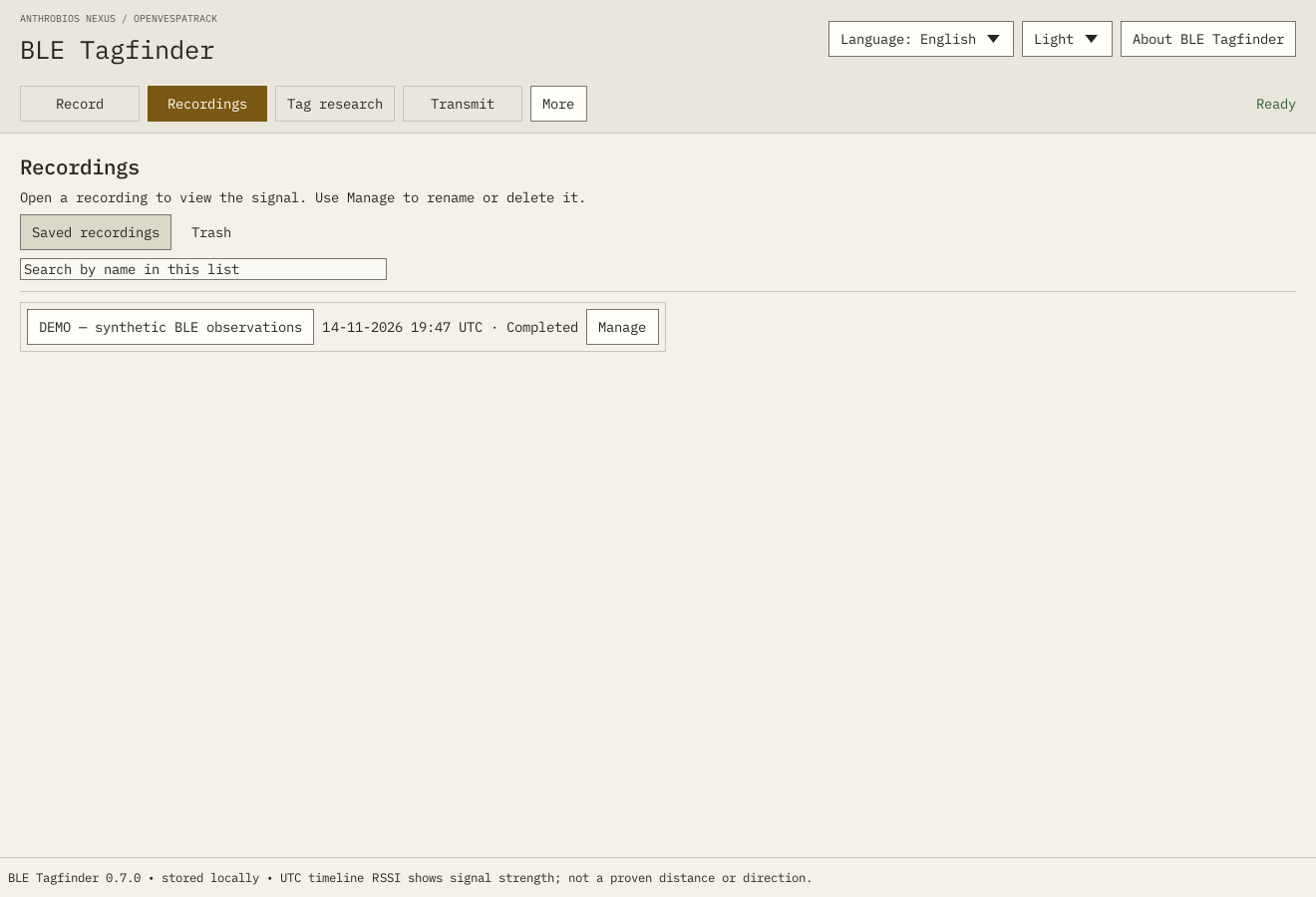
- Open Recordings, choose the session and use Export to share it.
No adapter yet? Choose More → Start synthetic demo to explore the interface with clearly labelled example data.
Tutorials: English · Dutch · French
Your recordings are stored separately from the installed program. The GUI also saves per-session ZIP archives in Documents → BLE Tagfinder. Back up your recordings before upgrading or moving between computers; the installation guide lists each platform's data location.
Screenshots
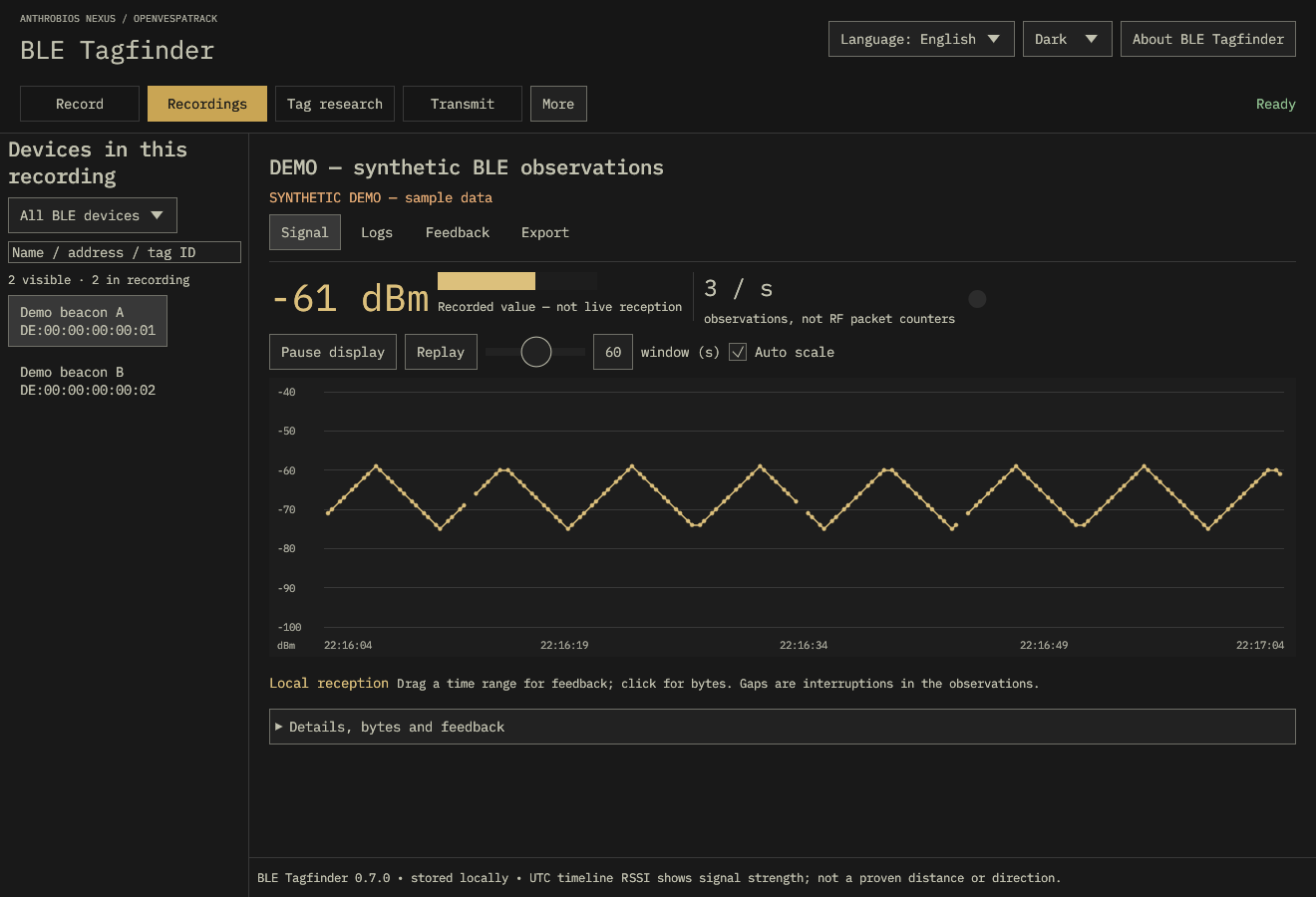
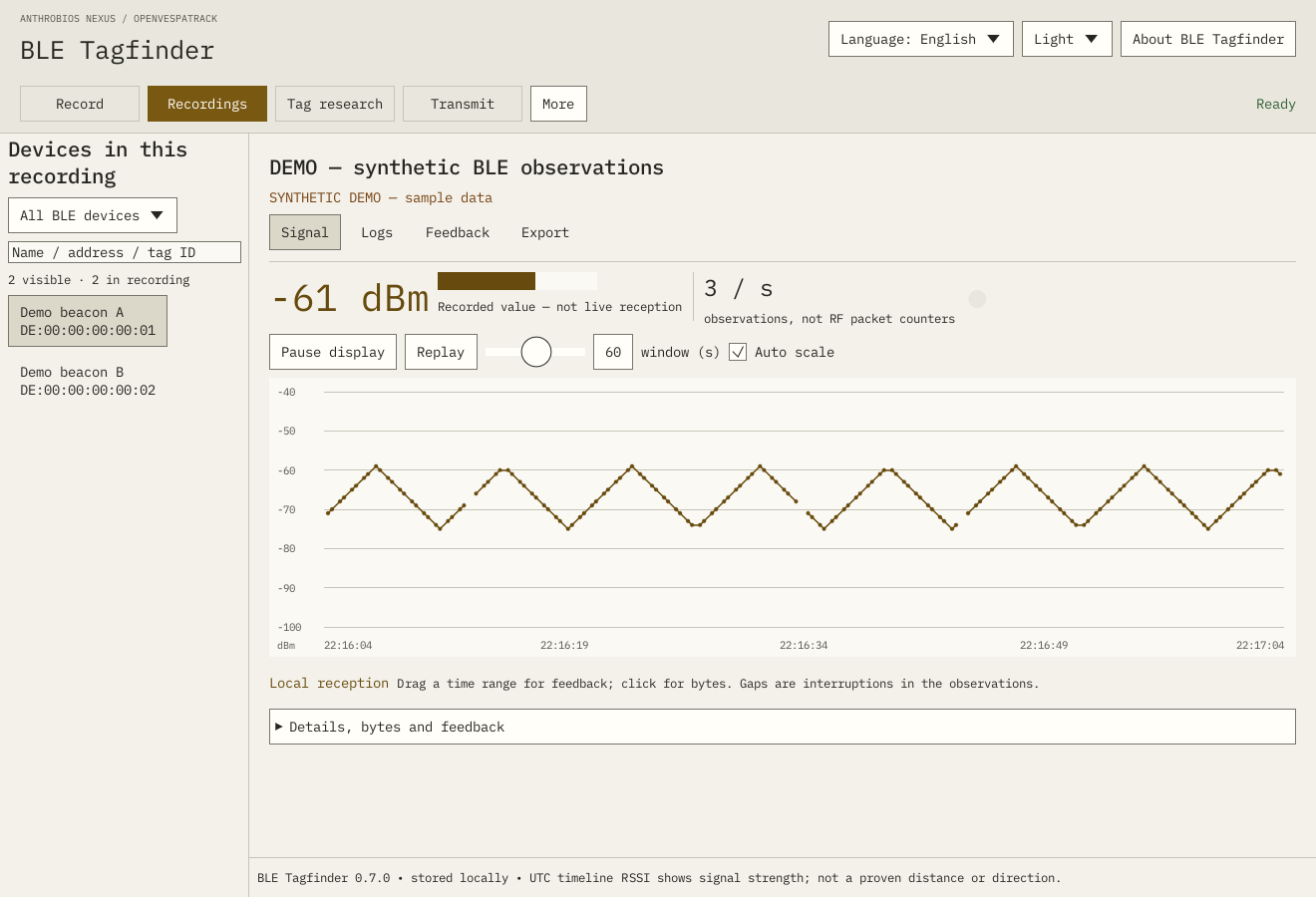
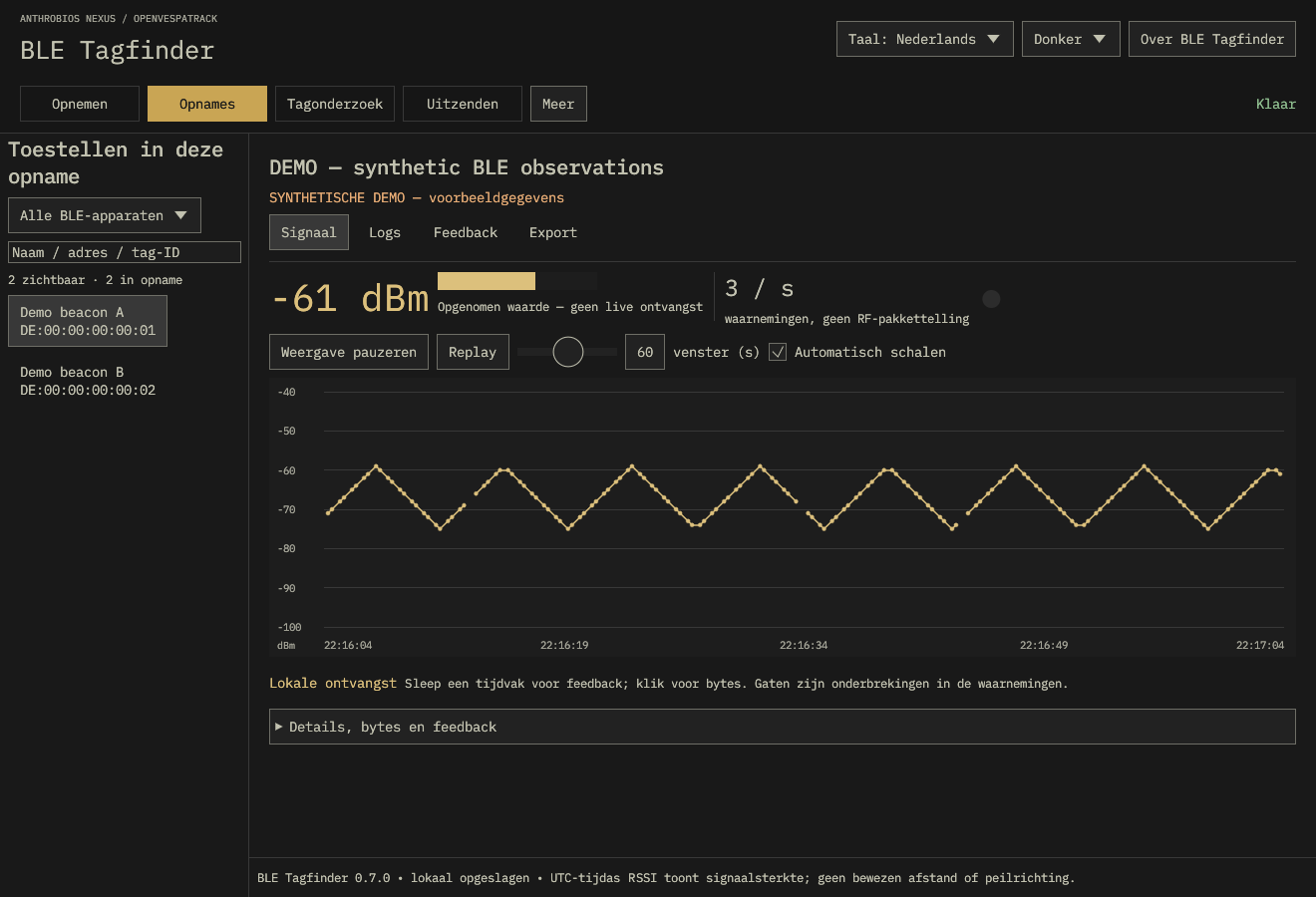
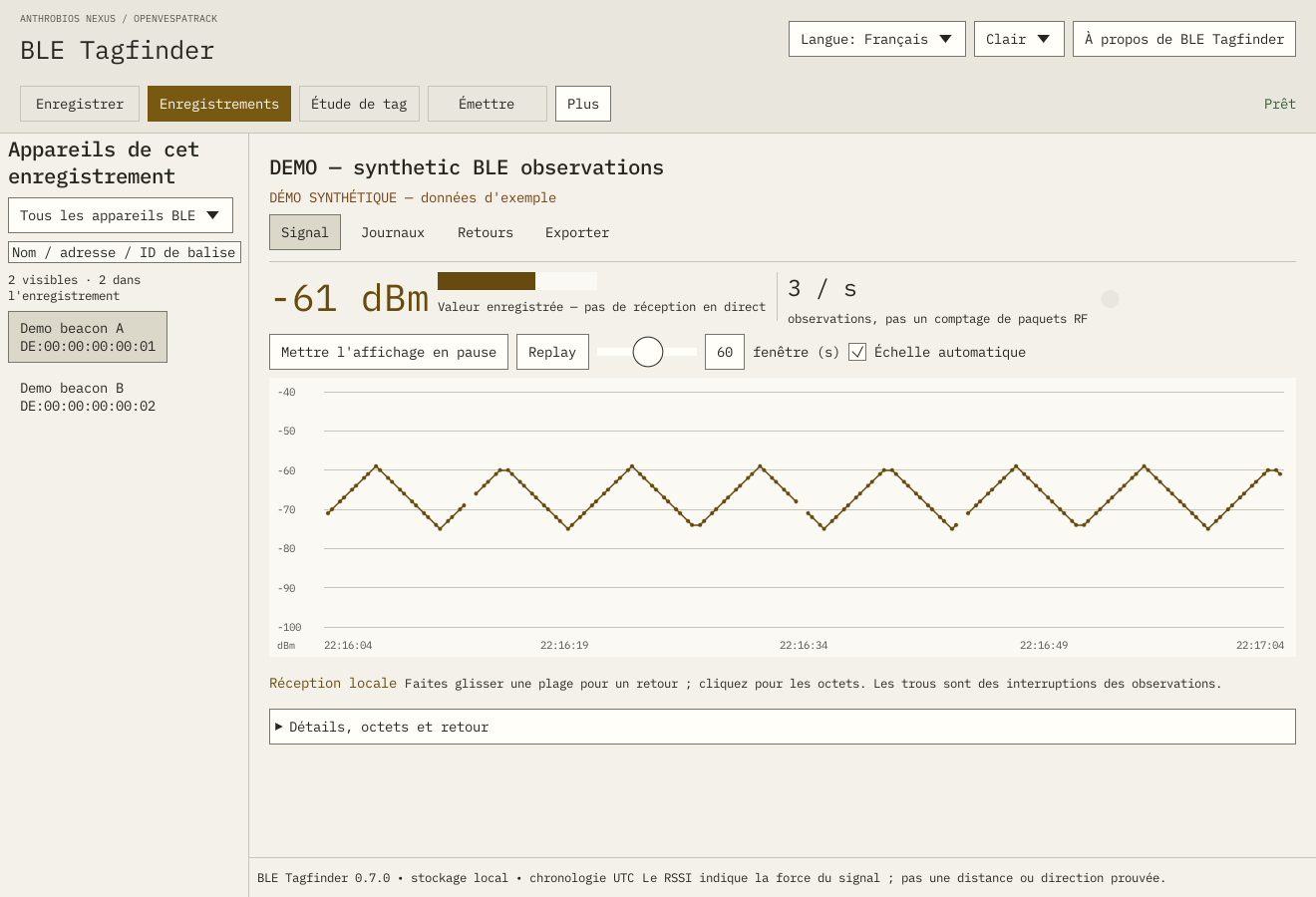
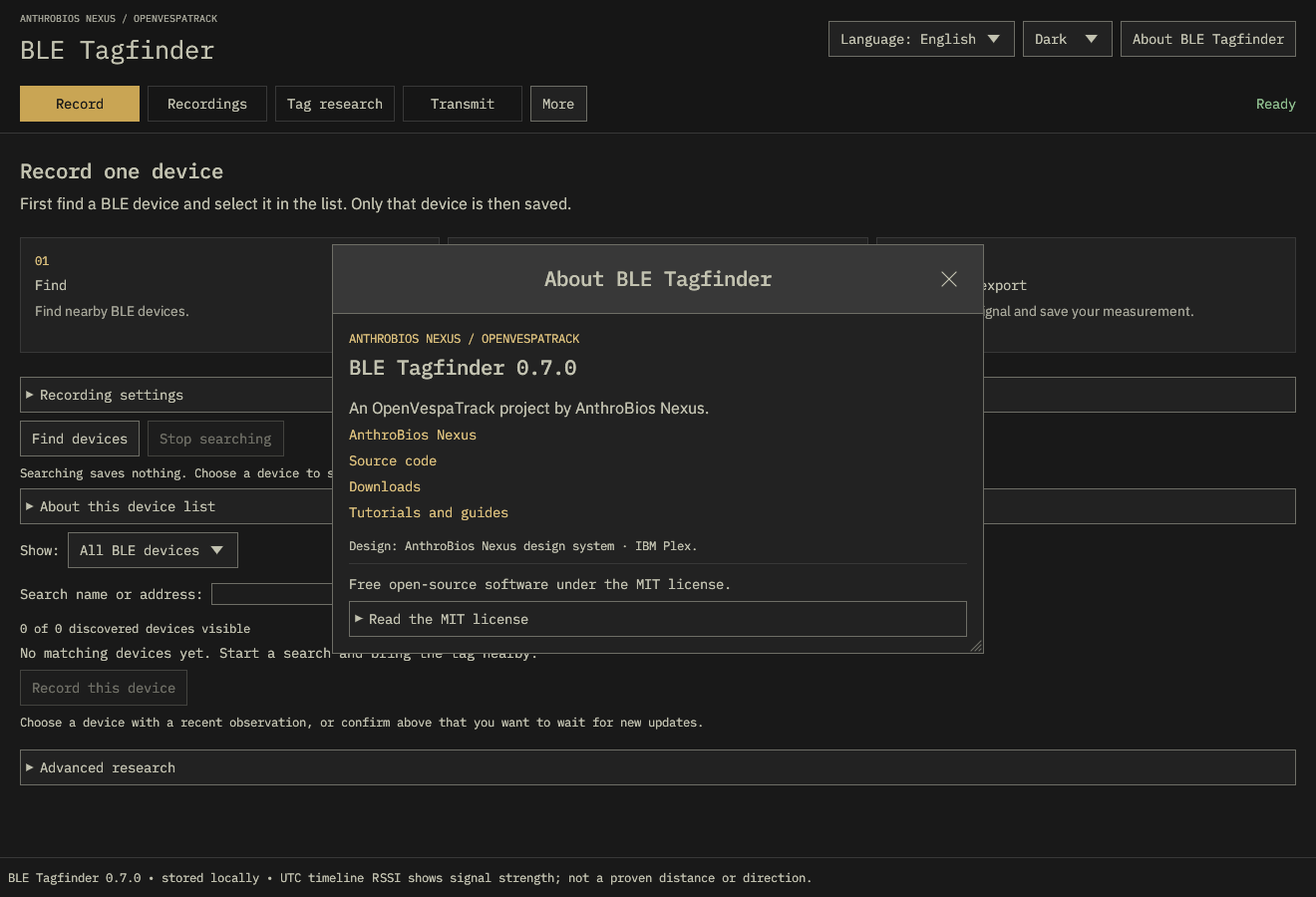
These are captures of the running native application, using synthetic observations. Select any image to enlarge it.
Platform capabilities
All three desktop platforms support BLE discovery, signal recording, GATT inspection, session review, timeline replay, import and export. Live results depend on the adapter, operating system and the device being observed.
| Capability | Windows | macOS | Linux |
|---|---|---|---|
| Native Bluetooth backend | Windows Bluetooth | CoreBluetooth | BlueZ |
| Record raw controller data | Unavailable | Unavailable | btmon, with monitor permissions |
| Transmit a static advertisement | Compatible manufacturer-data-only profiles | Unavailable through this backend | Name beacons and supported capture profiles |
Replay and transmission are separate actions. Timeline replay reviews saved observations. Transmission reconstructs a supported static advertisement; it does not reproduce a complete capture, its original timing or its transmitter address.
Signal strength (RSSI) describes reception. It does not by itself establish distance, direction or a tag's position. Bluetooth devices expose different data, so compatibility with a particular tag must be tested.
Release status
Version 0.7.0-rc.1 is a release candidate for testing and feedback. Native build, automated test and package checks passed for Windows x86-64, Linux x86-64, macOS Intel and macOS Apple Silicon. The interface was inspected using 25 captures across three languages and two window sizes.
Physical Bluetooth adapters and the complete OpenVespaTrack field setup have not been validated by these software checks. Installation and radio testing on real computers are the next step. Read the validation record or report an issue.
Open source and attribution
BLE Tagfinder is developed by Benjamin van der Zalm as part of OpenVespaTrack, an AnthroBios Nexus project. The application is available under the MIT license. Dependency notices and the IBM Plex font licenses are included with the distributed packages.
Public GitHub repository · Project overview · Project update log