Project
AgroForest Designer
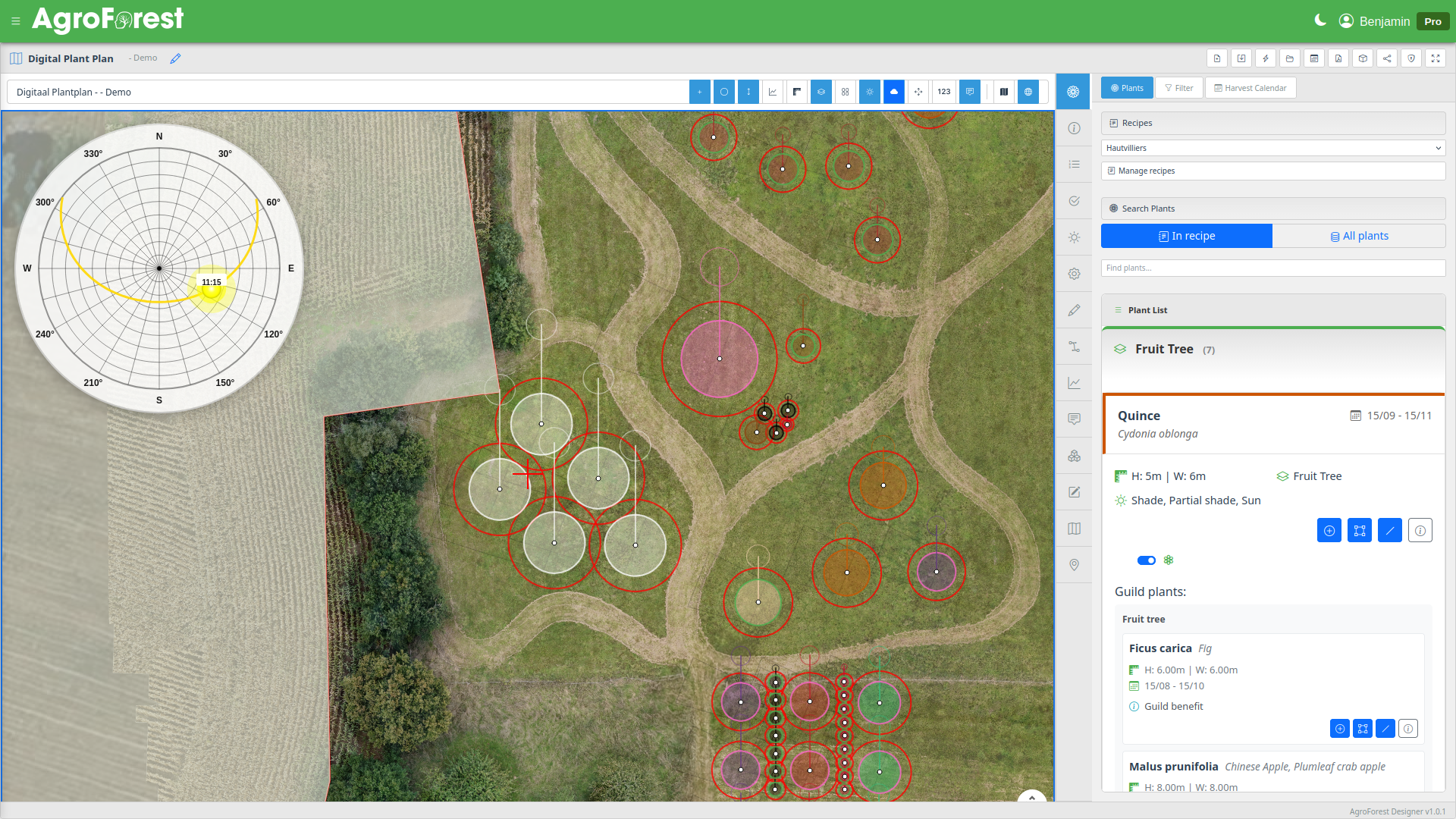
AgroForest Designer is a web application for designing food forests and agroforestry systems. The core idea is connecting ecological knowledge — which plants support each other and why (guilds) — with the spatial reality of a real plot of land. Users search a database of 600+ species filtered by forest layer, soil, light, and pH, then compose reusable recipes: named plant collections built around guild relationships. Those recipes are applied to site-specific projects, where an interactive map editor lets designers place plants as scaled canopy circles, simulate sunlight and shadows by season, and view an automatic harvest calendar. Guild relationships are visible at every step, making the reasoning behind a design transparent rather than implicit.
Published December 22, 2025
Challenge
A food forest is not a garden — it is a layered, self-sustaining ecosystem assembled from dozens or hundreds of plant species that support each other over decades. The challenge for anyone wanting to design one is twofold. First, knowledge: which species belong together, which plants fix nitrogen for their neighbours, which herbs repel pests from a nearby fruit tree, which ground covers suppress weeds under a shrub? This relationship-based thinking — guilds — is the foundation of permaculture design but is normally locked inside books and the heads of experienced practitioners. Second, space: once you know which plants you want, you still need to figure out where each one goes on a real piece of land, accounting for mature spread, sunlight, soil, and seasonal timing.
There was no tool that connected these two dimensions — the ecological logic of plant combinations and the spatial reality of a specific plot.
Methodology
The application is structured around three layers of work that mirror how a designer actually thinks.
Finding and combining plants. A database of over 600 species is searchable by name, forest layer (canopy, sub-canopy, shrub, herbaceous, ground cover, climber, root), soil type, pH, light requirements, and more. Each species carries explicit guild relationships: directional links to companion plants with a description of the specific benefit — nitrogen fixation, pest repulsion, dynamic accumulation, pollinator attraction. A designer can see at a glance not just that two plants go well together, but why.
Recipes. Plant selections are saved as recipes — reusable collections of species with notes on their roles and relationships. A recipe captures a design idea independently of any location. The same guild — say, a fruit tree surrounded by nitrogen-fixing shrubs, aromatic herbs, and a ground cover — can be applied to multiple projects without rebuilding it each time.
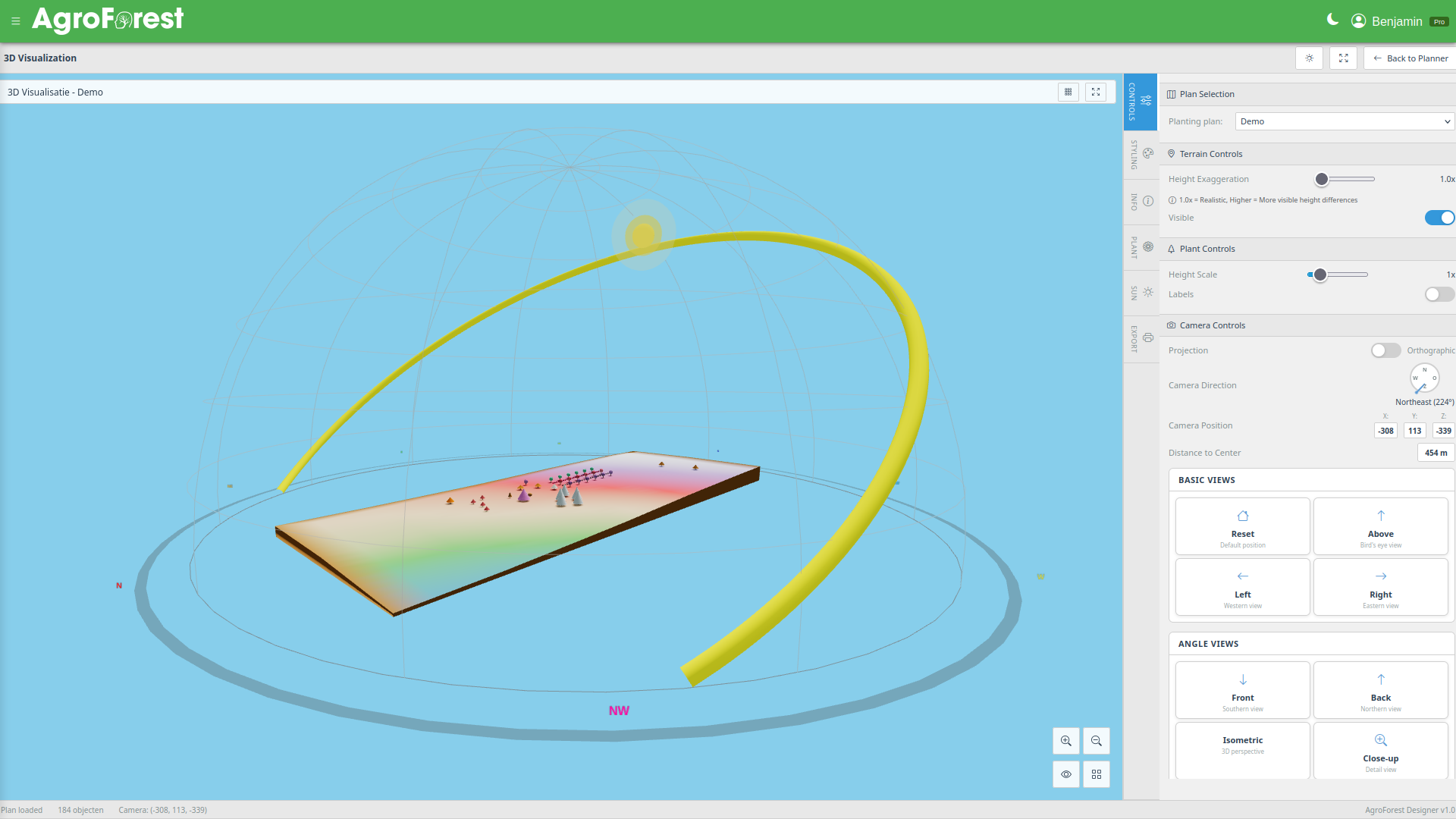
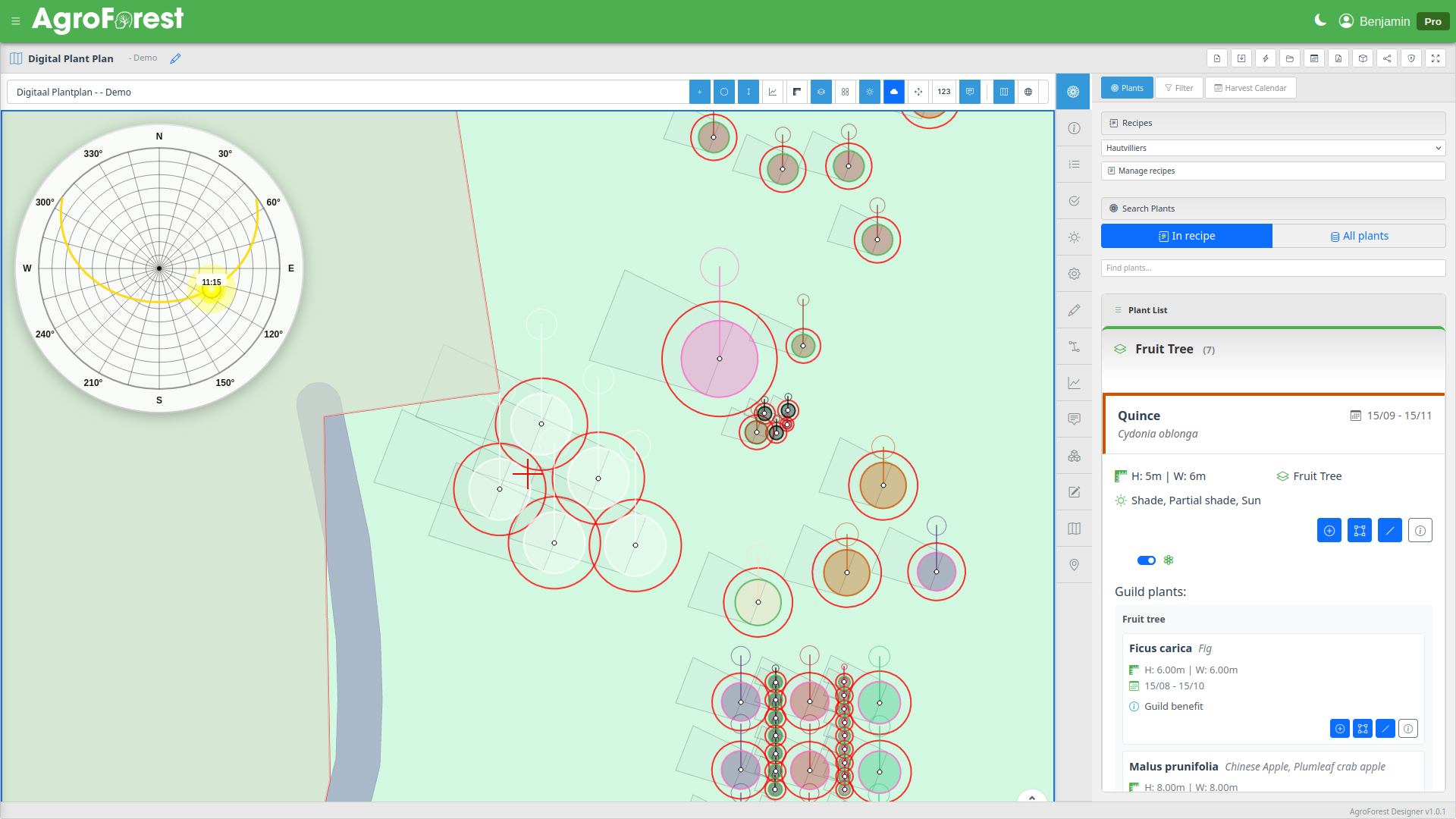
The spatial editor. A project ties a recipe to a real location: the designer draws the plot boundary on a satellite map, records soil conditions, and then opens the planting plan editor. Plants from the recipe appear in a sidebar and can be placed individually, or a full plan can be generated automatically. The editor shows each plant as a scaled circle reflecting its mature canopy spread, simulates shadows based on sun position at any date and time of year, generates a harvest calendar across all placed species, and supports drawing paths, zones, annotations, and structure templates. A 3D view lets designers visualise the eventual canopy.
Outcomes
The result is a workflow where ecological thinking and spatial planning happen in the same environment. A designer starts from relationships — which species support each other and how — builds a reusable recipe around those relationships, and then places that recipe onto real terrain with tools that make the spatial consequences of each choice visible. The harvest calendar and shadow simulation mean the plan can be evaluated not just at planting time but across seasons and years. Because recipes are independent of projects, a successful guild combination becomes a reusable template, gradually building up a personal library of tested plant communities.